The job card changes and nobody tells the technician
Additions are agreed at the desk, not on the card.
Technicians work to the wrong instruction

By business
By size
By platform
Find your fit
Tell us what you run and how big it is, and we will show you the platform, the products and the pricing tier that match.
→ Who We ServeThe ecosystem triangle
AF-X is the only platform family present on all three sides.
→ See the triangleData X
One clean record of every vehicle, customer, part and site — held in the region you chose.Intelligence X
The numbers the business runs on, live, with the same definition on every site.AI X
AI inside the product at the point the decision is made — rank, predict, price, draft, answer.Your data. Your workflow. Automotive AI that does the job, not the demo.
→ How AF-X uses your data→ What AI native meansWhere do you want to start?
The claim
The only automotive platform family that runs dealer retail, independent workshops, fleet & mobility, parts distribution and remarketing — on one platform, with one data model.
Give mechanics the current job, health check and approval status on one tablet.
Digital Service Order (Technician App) exists to move one number: More Productive. Take the rekeying, chasing and rebuilding out of the day. Every AF-X product names the outcome it is there to move before it lists anything it does, and reports against that number once it is live.
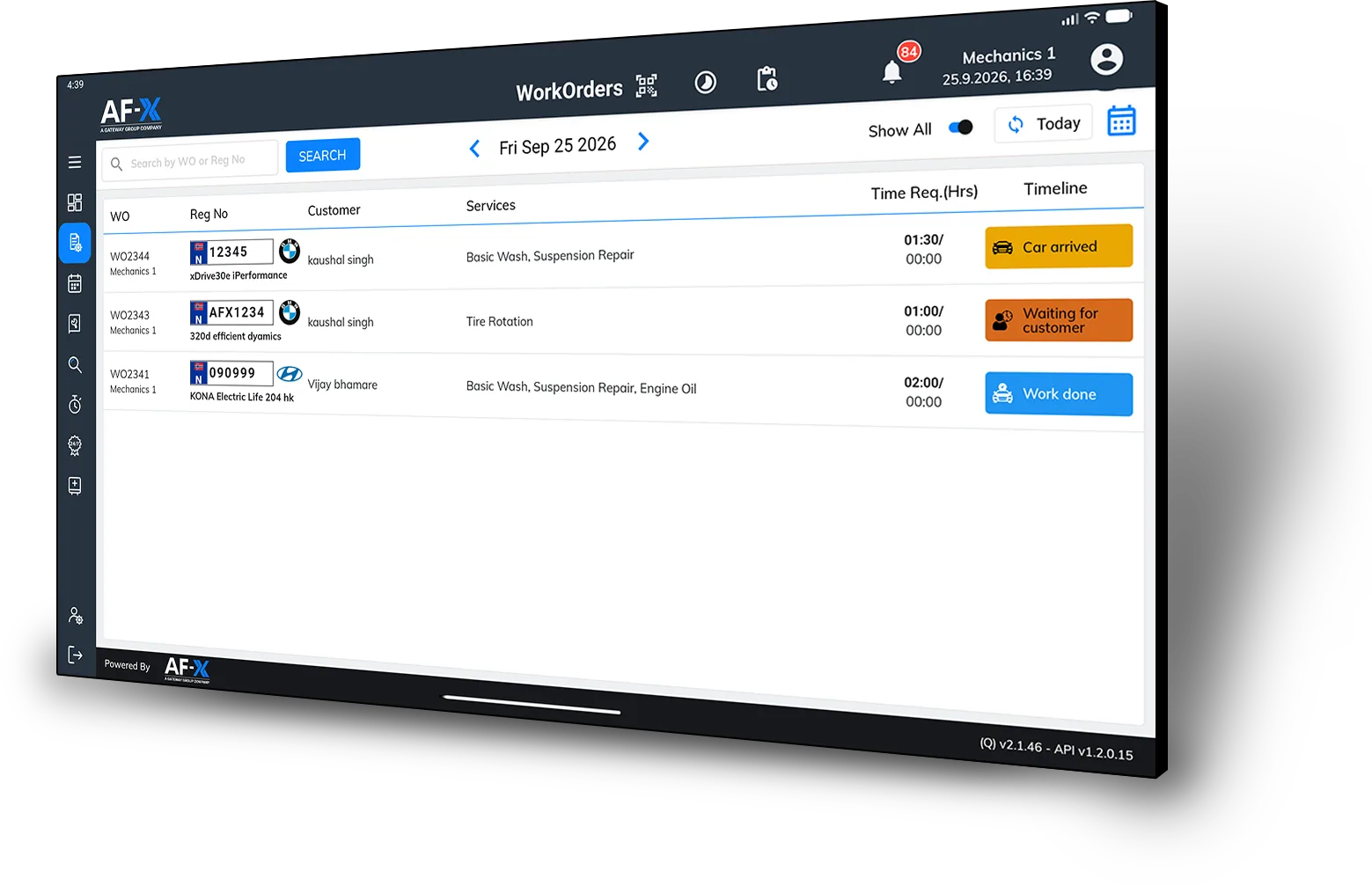
The mechanic needs to know what was agreed, what changed and what can proceed.
Additions are agreed at the desk, not on the card.
Technicians work to the wrong instruction
Job progress, parts and health-check findings have to be pieced together later.
The service team loses the current picture
A new job is raised without a visible customer approval status.
The mechanic cannot tell what can proceed
Give mechanics one tablet view of assigned work, the current instruction, Vehicle Health Check and job progress. Additional work moves through review and customer approval before it becomes an authorised instruction.
“Built for the mechanic doing the work.”
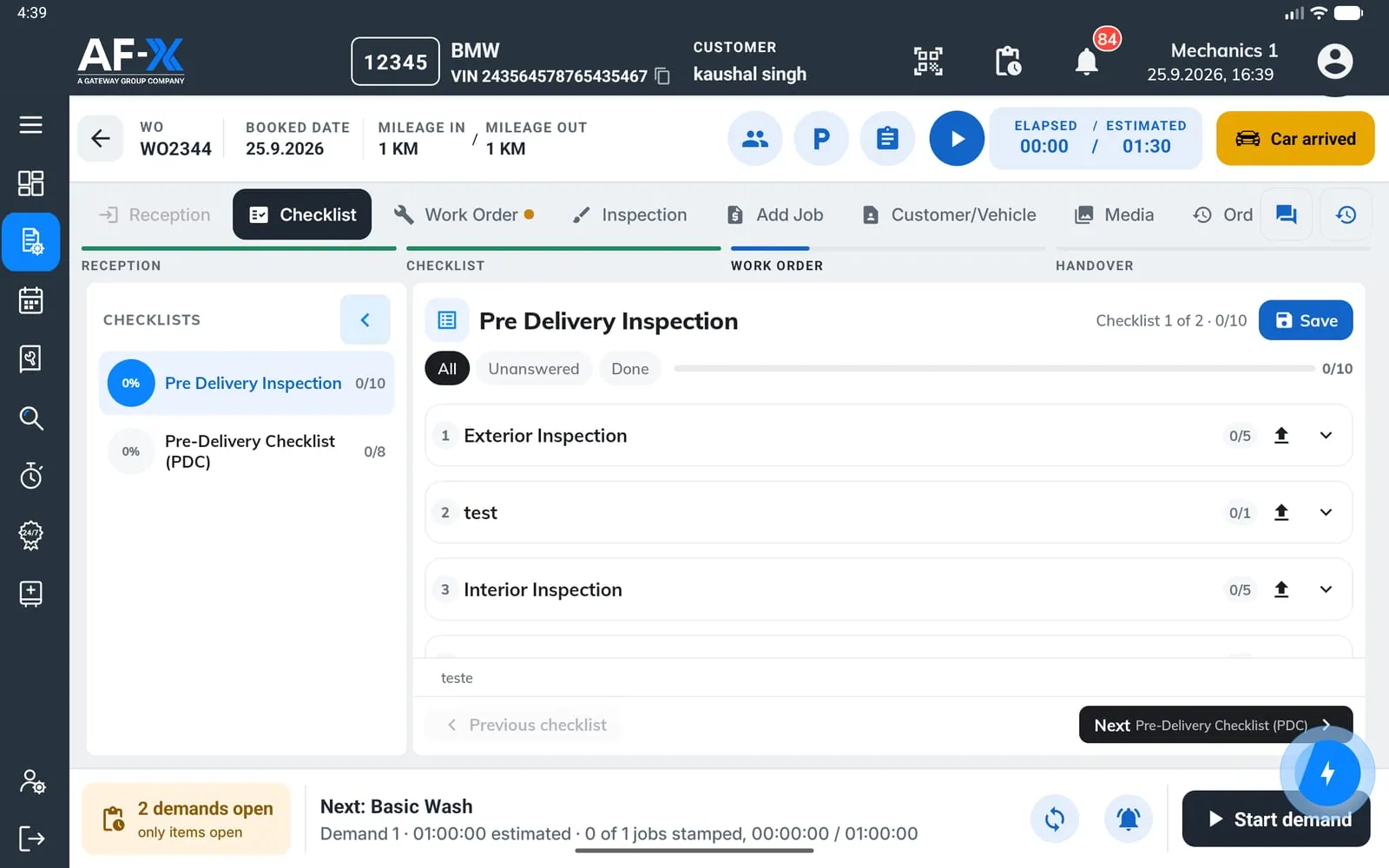
Work from the current instruction at the vehicle.
The mechanic opens the service order to see the agreed work, vehicle context and job status. Progress, labour, parts and notes are recorded as the work happens, with Vehicle Health Check available in the same technician workflow.
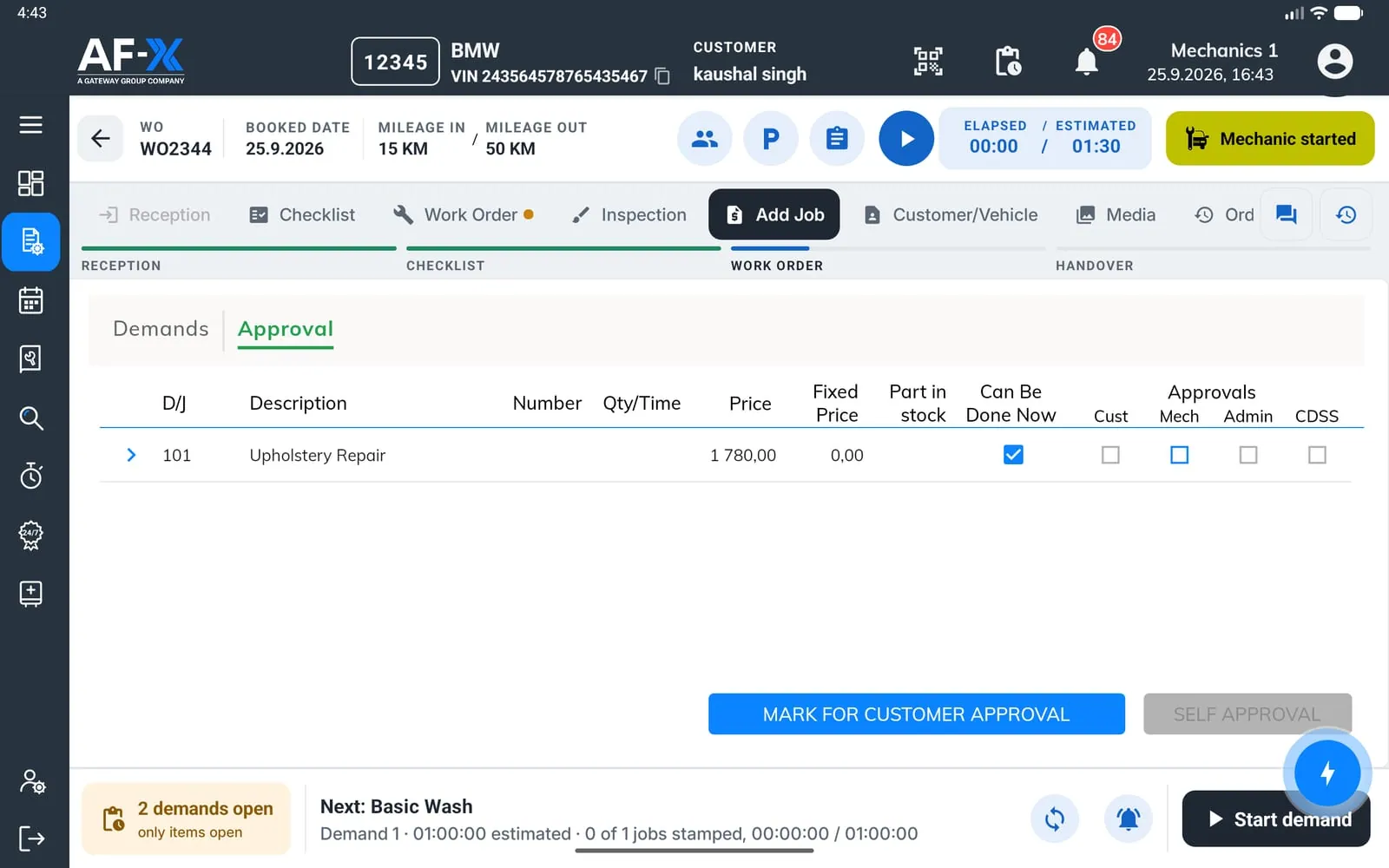
Make the customer decision visible before work proceeds.
A mechanic raises a new job and adds the relevant finding or media. The advisor reviews and prices it, then Service Tracker presents the request to the customer. The decision returns to the order so the mechanic can work from the updated authorised instruction.
Keep the mechanic’s instruction and customer decision in step.
Vehicle Reception passes the agreed instruction into the service order. Workshop Operations sees job progress and blockers. Additional work raised in DSO goes to the advisor, then through Service Tracker for customer approval before the mechanic proceeds.
AF-X bolts on. It does not rip out. Keep the system you run the business on. AF-X connects to it, reads from it, writes back to it, and adds the layer that was missing. Nobody has to migrate to get started.
The connected workflow keeps these steps in sync: