Some customers are asked for feedback; others are forgotten
Teams rely on manual requests or send the same survey to everyone.
Feedback does not represent the business

By business
By size
By platform
Find your fit
Tell us what you run and how big it is, and we will show you the platform, the products and the pricing tier that match.
→ Who We ServeThe ecosystem triangle
AF-X is the only platform family present on all three sides.
→ See the triangleData X
One clean record of every vehicle, customer, part and site — held in the region you chose.Intelligence X
The numbers the business runs on, live, with the same definition on every site.AI X
AI inside the product at the point the decision is made — rank, predict, price, draft, answer.Your data. Your workflow. Automotive AI that does the job, not the demo.
→ How AF-X uses your data→ What AI native meansWhere do you want to start?
The claim
The only automotive platform family that runs dealer retail, independent workshops, fleet & mobility, parts distribution and remarketing — on one platform, with one data model.
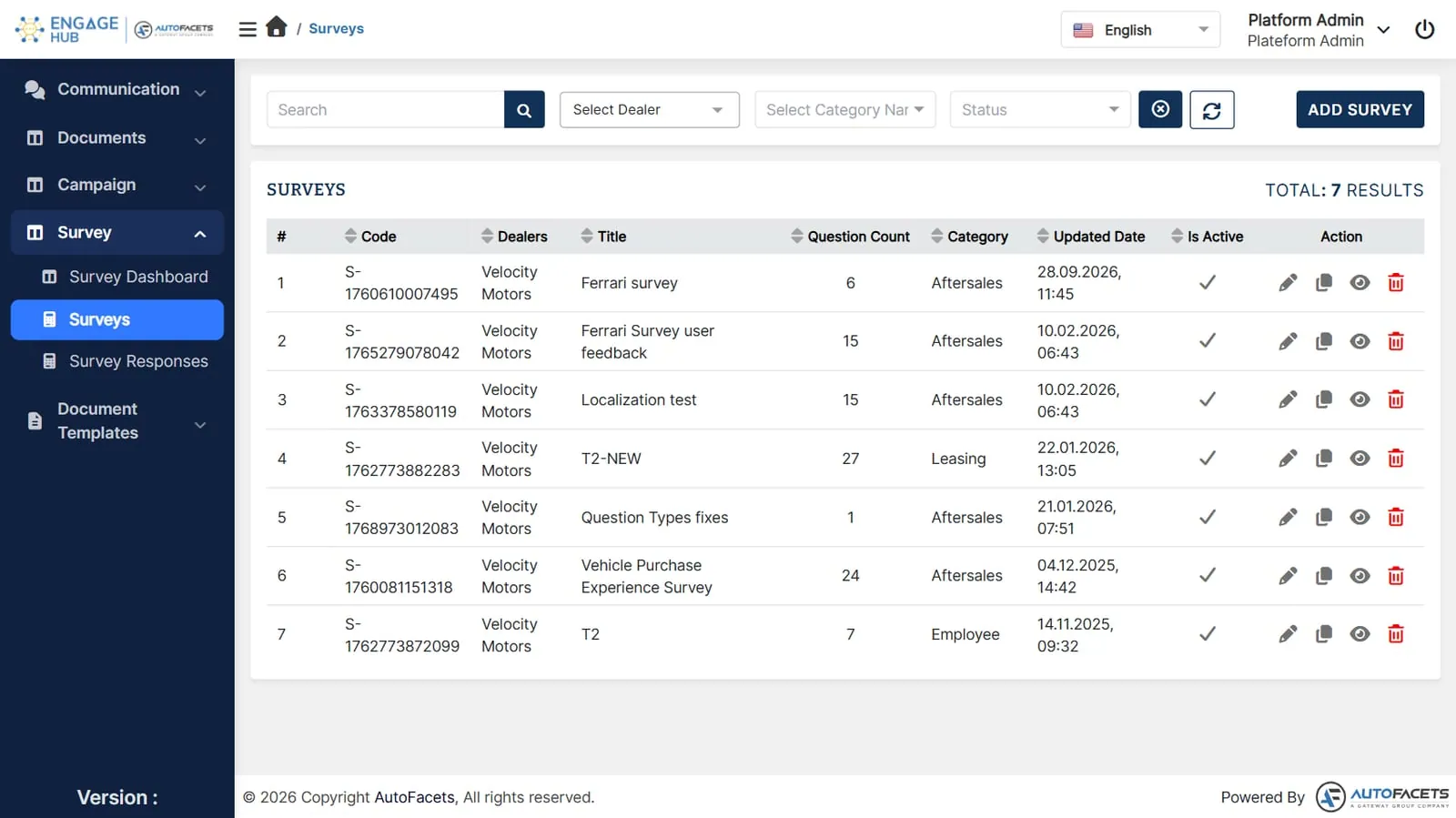
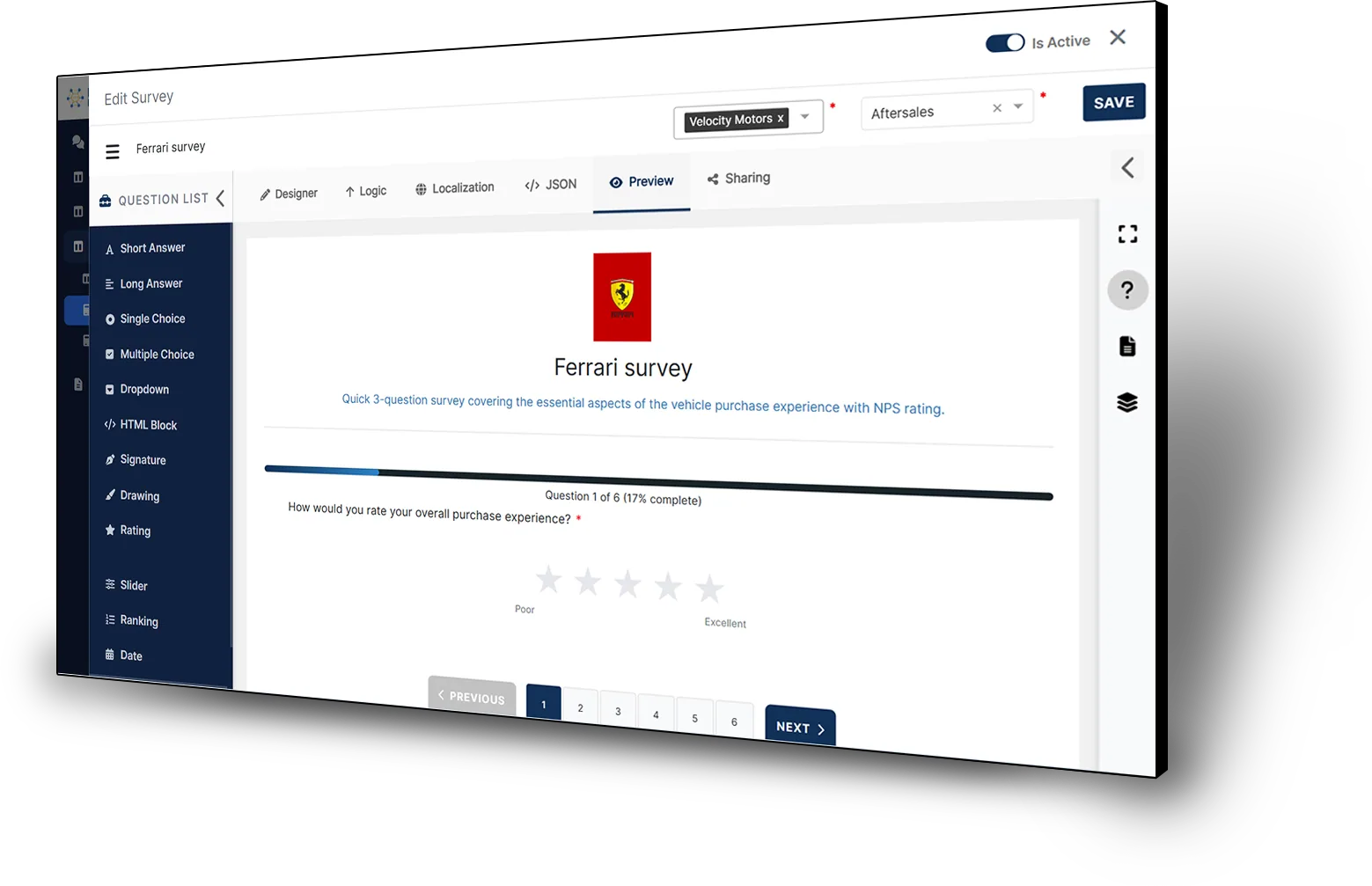
Create and share feedback surveys, bring responses and public reviews together, and follow up while the experience is fresh.
Connect each response to the visit behind it, give poor experiences a clear owner, and use the pattern across sites to improve the next customer journey.
Feedback is hard to use when it reaches too few customers or arrives without a clear owner.
Teams rely on manual requests or send the same survey to everyone.
Feedback does not represent the business
Responses are reviewed long after the visit.
Problems repeat before anyone reacts
Reviews are answered away from the site involved.
Replies miss what actually happened
Create a relevant survey, share it after the right customer moment, and turn responses into follow-up owned by the site that can act.
“Built for feedback you act on.”
Make each request relevant to the visit.
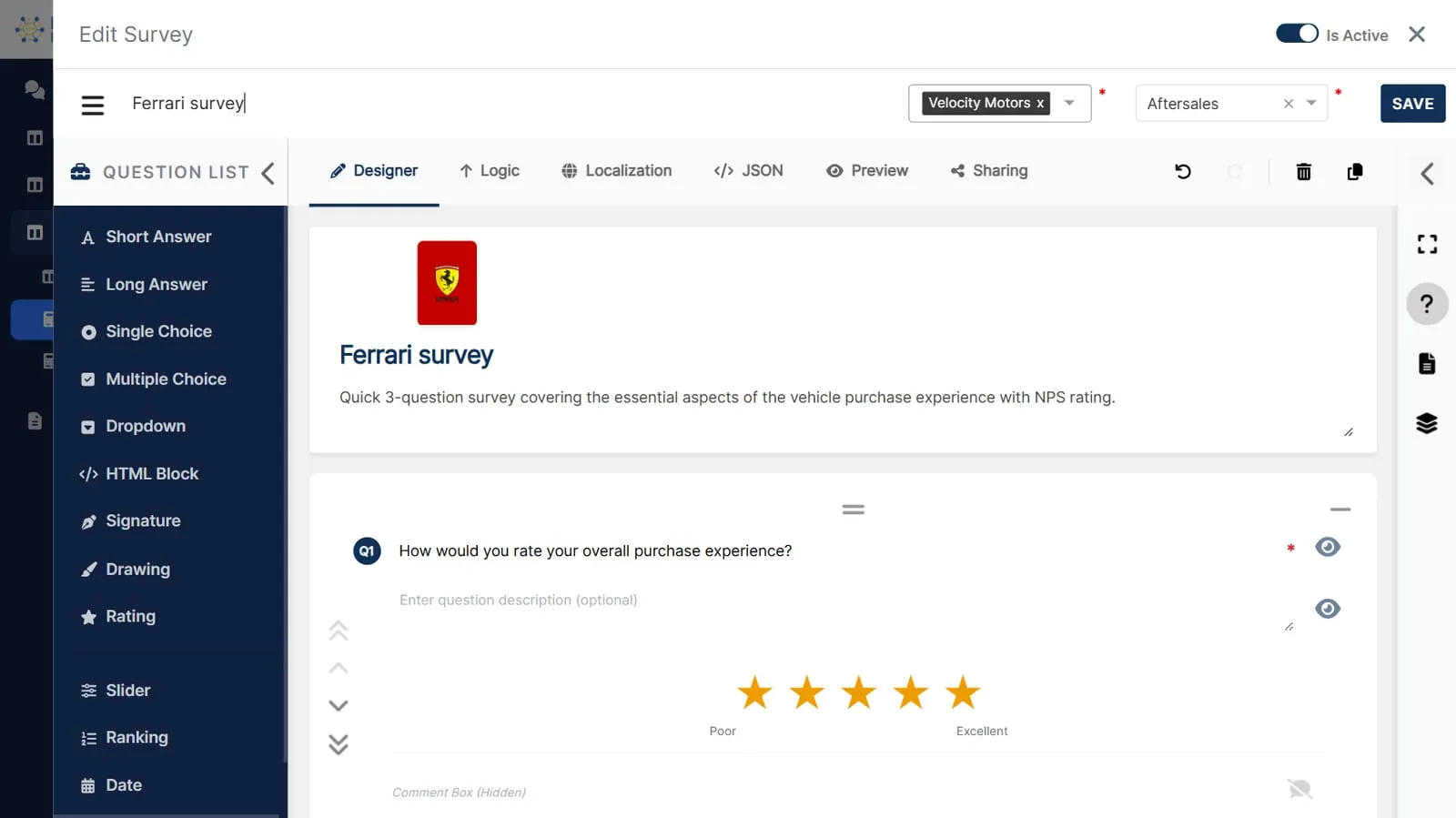
Choose a starting template, add rating, choice or free-text questions, and preview what the customer will see. Set the audience and the completed-visit trigger, then review and share the survey through the configured customer channel.
Keep your core systems in charge.
Use completed jobs and orders from the systems you already run to send the right survey when configured. Keep each response with its customer, site and visit context, and assign follow-up where needed.
Connect the survey and follow-up to: